can work laptop be monitored at home

Title: Signs You Are Being Monitored at Work
Channel: Benjamin Preston
Signs You Are Being Monitored at Work by Benjamin Preston
can work laptop be monitored at home, can my work laptop be monitored at home reddit, can my work laptop be monitored at home uk, can my work laptop be monitored, can i use my work laptop at home
Is Your Home Laptop Secretly Being WATCHED? (Shocking Truth!)
Is Your Privacy at Risk? Unveiling the Hidden Dangers of Your Home Laptop
Think your home laptop is a secure, private sanctuary? Think again. The digital world is a complex place. It’s brimming with invisible threats. Your seemingly innocuous device could be a portal for prying eyes. This article explores the unsettling possibilities. We’ll delve into the potential vulnerabilities. We will examine the steps you can take to protect yourself.
The Whispers of the Web: Understanding the Threats
The internet has transformed our lives. It connects us in remarkable ways. However, this convenience comes with risks. Malicious actors constantly seek to exploit vulnerabilities. They are always looking for an opportunity. Your laptop, unfortunately, can be a prime target. Consider the various ways you could be at risk.
One significant threat is malware. This includes viruses, spyware, and ransomware. They can sneak onto your laptop unseen. Often, it occurs through phishing emails. Or, sometimes, it happens while you are browsing the web. Once installed, malware can monitor your activity. It then harvests your sensitive data. Think passwords, financial information, and personal conversations.
Another concern is unauthorized access. This occurs when someone gains control of your device. This can happen through weak passwords. It might also be the result of unpatched software vulnerabilities. Your webcam and microphone could be activated remotely. Then, they could be used to record you without your knowledge. This is a truly unsettling thought.
Eyes Everywhere: How Your Laptop Could Be Under Surveillance
We live in a surveillance age. Everywhere, data is collected and analyzed. Your laptop is no exception. Several methods exist to achieve this. Understanding these methods is the first step. It will help you protect yourself.
Webcam and microphone hacking is a real threat. Imagine a hacker could activate your laptop’s camera. Then, they could record your every move. They might even listen to your conversations. This is done without your consent or knowledge. This is why it’s important to cover your webcam. Make sure to also regularly check your microphone settings.
Keyloggers are another concern. They tirelessly record everything you type. Passwords, emails, and personal messages become instantly available. Keyloggers can be difficult to detect. They operate quietly in the background. They are a dangerous form of spyware.
Data breaches are an unfortunate reality. They happen frequently. They occur when a website or service you use is hacked. Your login credentials, including your password, could be exposed. Ensure that your passwords are strong and unique. Consider using a password manager. Therefore, you will protect yourself more.
Shielding Your Digital Life: Practical Protection Strategies
The good news is you can take control. There are strategies to protect your privacy. You can significantly reduce your risk. These are proactive steps, not reactive ones.
First, security software is essential. Install a robust antivirus program. Also, make sure to utilize a firewall. Keep your software updated. This includes your operating system, web browser, and other applications. Updates often include vital security patches.
Second, practice safe browsing habits. Be cautious about clicking suspicious links. Avoid downloading files from untrusted sources. Verify the legitimacy of websites before submitting personal information. Always use strong, unique passwords for all of your accounts.
Use a virtual private network (VPN). A VPN encrypts your internet traffic. It hides your IP address. This adds an extra layer of security and privacy. It’s especially important when using public Wi-Fi networks.
Consider your physical security. Always lock your laptop when you leave it unattended. Be mindful of who has access to your device. Physical security is just as crucial as digital security.
Staying Ahead of the Curve: Ongoing Vigilance
Protecting your laptop – and yourself – is an ongoing process. The digital landscape changes quickly. New threats emerge continuously. It requires constant vigilance.
Stay informed about the latest security threats. Read security blogs and websites. Subscribe to newsletters. Be aware of phishing scams and other common attacks.
Regularly review your privacy settings. Check your social media accounts. Audit your online accounts. Ensure only the information you want to share is accessible.
Periodically scan your laptop for malware. Use your antivirus software to perform regular scans. Look for unexpected applications or processes. Consider using a secondary malware scanner for an additional layer of protection.
Be proactive in your approach to privacy. Don’t wait for something bad to happen. Take steps to protect yourself today. With a little effort, you can maintain your privacy. Keep your data secure in this digital world.
Laptop Keyboard Dead? 😱 FIX It NOW!Is Your Home Laptop Secretly Being WATCHED? (Shocking Truth!)
Hey everyone, and welcome! Ever feel like your laptop is… well, being a little too helpful? Like it knows what you were thinking before you even typed it? Chances are, you’re not alone. In today's digital age, the question of whether our home laptops are secretly being watched isn't just paranoia – it’s a legitimate concern. We’re diving headfirst into this digital rabbit hole and uncovering some potentially unsettling truths. Buckle up, because this is going to be a wild ride!
1. The Creepy Comfort of Connectedness: Why We Need to Question Everything
Think about it – we’re practically married to our laptops. They’re our connection to the world, our work hubs, our entertainment centers, and sometimes, our virtual therapists! But this constant connectedness comes with a price: vulnerability. As our reliance on these devices grows, so does the risk of them being used against us. We’re not talking about the boogeyman under the bed; we’re talking about sophisticated technology that can be lurking right inside your trusty machine. It's like having a friend who secretly keeps tabs on every move you make.
2. The Eyes in the Screen: Understanding the Threats
So, what exactly are we worried about? The threats are varied and, honestly, pretty unsettling.
- Webcams and Microphones: This is the big one. Imagine someone, without your knowledge, activating your webcam and microphone. They could be watching and listening to everything happening in your home. Shivers, right? This is a major privacy breach, and it happens more often than you think.
- Keyloggers: These sneaky little programs record every single keystroke you make, from passwords and financial details to private conversations. It's like having a snoop next to you, jotting down everything you type.
- Remote Access Trojans (RATs): These are like the master keys to your laptop. They give attackers complete control, allowing them to access files, install software, and basically turn your machine into their personal playground.
- Data Breaches: Even if you're not directly targeted, your data can be compromised through breaches of websites and services you use, leaving your personal information vulnerable.
3. The Usual Suspects: Who Might Be Watching?
It's crucial to understand that the potential watchers aren’t always shadowy government agencies or nefarious hackers.
- Hackers: The obvious villains. They're after your personal information, financial details, or even just to cause chaos.
- Spouses/Partners: Sadly, trust isn't always a given. Jealousy or suspicion can lead to monitoring, even if it’s technically illegal.
- Employers: Some employers may monitor employee devices for productivity or security reasons. This is often laid out in company policy, but the methods employed may not always be clear.
- Government Agencies: While the extent of their surveillance is often debated, governments sometimes have the legal right (with warrants, of course!) to monitor digital activity.
- Your Internet Service Provider (ISP): They can see your online activity, including the websites you visit, but they usually won’t monitor the content itself. They are the eyes on your internet traffic flow.
4. Red Flags: Recognizing the Signs of Surveillance
Spotting if someone is watching can be tricky, but certain signs might indicate a problem.
- Unexplained Activity: Your laptop acting strangely – programs opening on their own, the cursor moving on its own, or unexpected pop-ups – should be a red flag.
- Slow Performance: A sudden drop in speed can sometimes be a clue. Surveillance software often consumes system resources.
- Increased Data Usage: If your data usage spikes without explanation, it could mean that someone is uploading information from your laptop.
- Webcam/Microphone Indicators: Always confirm the webcam is inactive. Some laptops have a physical cover. If not, consider investing in one. Microphones can be disabled through your operating system.
5. Fortifying Your Fortress: Essential Security Measures
Don’t despair! You’re not powerless. Here’s how to fight back:
- Strong Passwords: Use unique, complex passwords for all your accounts. Ditch the "password123" and embrace a password manager.
- Regular Software Updates: Keep your operating system, antivirus software, and other programs updated. These updates often include critical security patches.
- Antivirus and Anti-Malware Software: Install reputable security software and run regular scans. It's like having a digital bodyguard!
- Firewall: Enable your firewall to help block unauthorized access to your laptop.
- Be Careful What You Click: Don't click on suspicious links or open attachments from unknown senders. Phishing emails are a common way for hackers to gain access.
- Webcam Cover: Seriously, invest in a webcam cover. It's a simple, effective way to prevent unauthorized access to your camera.
- Keep Your Microphone Muted: Disable your laptop's microphone when not in use, to eliminate any potential risks of accidental recording or malicious activities.
6. The Power of a Healthy Skepticism: Questioning the Norm
We're constantly told to trust, to share, to connect. But in the digital world, a healthy dose of skepticism is crucial. Question the privacy policies of the websites and apps you use. Who is collecting your data, and how is it being used? It's not about becoming a hermit; it's about being informed.
7. Beyond Basic Security: Advanced Protection Strategies
Let's take it up a notch.
- Two-Factor Authentication (2FA): This adds an extra layer of security by requiring a second verification method, such as a code sent to your phone, in addition to your password.
- Virtual Private Network (VPN): A VPN encrypts your internet traffic, making it harder for eavesdroppers to track your online activity. It's like wearing a cloak of invisibility on the internet.
- Regular Backups: Back up your important files regularly. This ensures that even if your laptop is compromised, you won't lose your valuable data.
- Privacy-Focused Browsers and Search Engines: Consider using privacy-focused browsers like Brave or DuckDuckGo, which prioritize your privacy.
8. The Psychology of Privacy: Why We Feel Uncomfortable
Why does the thought of being watched make us so uncomfortable? It taps into our primal need for autonomy and control. Being observed, even passively, disrupts our sense of privacy. It's like someone is always looking over your shoulder, judging your every move.
9. The Legal Landscape: Your Rights in the Digital Age
It’s crucial to understand your rights. Laws regarding surveillance vary depending on your location. If you suspect you're being monitored, research the laws in your jurisdiction. Know your rights!
10. The Ethical Dilemma: When Surveillance is Justified
Is all surveillance inherently wrong? Not necessarily. Surveillance can be justified in certain situations, such as for national security or to prevent criminal activity. However, a balance must be struck between security and individual privacy.
11. Case Studies: Real-World Examples of Laptop Exploitation
Reading real-world accounts can be eye-opening (and scary!). Research cases of laptop hacking and data breaches. Learn from others' mistakes.
12. The Future of Surveillance: What to Expect
Technology is evolving rapidly, and so are the ways we're being watched. Expect more sophisticated surveillance techniques, potentially leveraging artificial intelligence and facial recognition technology. The future of your privacy depends on staying informed and proactive.
13. Taking Control: Practical Steps You Can Implement Today
You don't have to be a tech expert to protect yourself.
- Do a System Check: Run a thorough scan of your laptop using your antivirus and anti-malware software.
- Review Your Privacy Settings: Go through the privacy settings on your operating system, web browsers, and social media accounts.
- Educate Yourself: Stay informed about the latest threats and security tips. The more you know, the better equipped you'll be.
- Remove Unnecessary Software: Uninstall programs you don't use. The fewer apps you have, the smaller the attack surface.
14. The Human Element: The Importance of Digital Hygiene
It's not just about technology; it's also about human behavior. Practice good "digital hygiene." Be mindful of what you share online, who you interact with, and the websites you visit.
15. Staying Ahead of the Curve: Continuous Vigilance
Protecting your privacy is not a one-time task; it's an ongoing process. Stay vigilant, adapt to new threats, and never stop learning.
Conclusion: Your Digital Sanctuary
So, is your home laptop secretly being watched? The truth is, it's a definite possibility. But by understanding the risks, taking proactive measures, and staying informed, you can significantly increase your security and peace of mind. Think of your digital privacy as a sanctuary – a safe space that you control. It’s your job to build those walls and keep them strong. Now go forth, armed with knowledge, and take control of your digital life!
FAQs
1. What are the most common ways my laptop can be hacked?
The most common threats include
HP Laptop Battery Mystery Solved! (Indicator Not Working?)How employers monitor employees working remotely
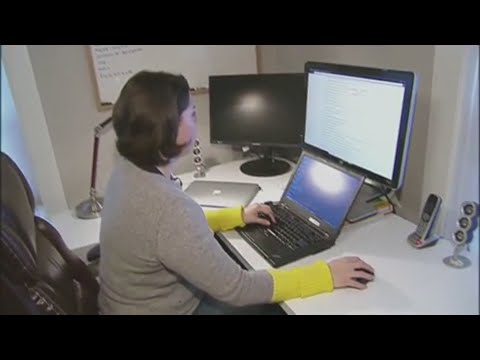
By FOX 2 St. Louis How employers monitor employees working remotely by FOX 2 St. Louis
Are You Being Tracked How Companies Are Monitoring Productivity

By TODAY Are You Being Tracked How Companies Are Monitoring Productivity by TODAY
Smart Monitor How to work from home without a PC Samsung

By Samsung Smart Monitor How to work from home without a PC Samsung by Samsung

Title: How to use a Laptop with its lid closed - Home office laptop setup
Channel: Dope Tech Fever
How to use a Laptop with its lid closed - Home office laptop setup by Dope Tech Fever
Wifi On Laptop Phone
Is Your Home Laptop Secretly Being Watched? (Shocking Truth!)
In an age increasingly defined by digital footprints and interconnected devices, the specter of surveillance looms large. While we readily accept the convenience of our laptops, tablets, and smartphones, a chilling question often lingers beneath the surface: Could our private lives be viewed without our knowledge or consent? The answer, unfortunately, is often closer to "yes" than we'd like to believe. This exploration delves into the unsettling realities of laptop monitoring, examining the how, the who, and the why behind this clandestine form of digital eavesdropping. We aim not to instill fear, but to empower you with the knowledge necessary to safeguard your privacy in an increasingly intrusive digital landscape.
The Silent Intruder: Understanding the Mechanisms of Remote Access
The capacity for remote access is, in essence, the key to understanding how laptops can be secretly watched. Several methods allow individuals or entities to gain access to a laptop without the owner's awareness. These methods can range from sophisticated commercial surveillance software to relatively simple techniques that exploit common vulnerabilities. Understanding these mechanisms is the crucial first step in recognizing and mitigating the risks.
One of the most prevalent methods involves the use of Remote Administration Tools (RATs). Disguised as legitimate software or delivered through malicious attachments, RATs grant an unauthorized user comprehensive control over a compromised device. This level of control includes, but is not limited to, the ability to:
- Activate the webcam and microphone: This grants real-time audio and video surveillance capabilities, effectively transforming the laptop into a hidden listening post and camera.
- Record keystrokes (keylogging): Capturing every keystroke allows an attacker to harvest sensitive information such as passwords, credit card details, personal messages, and other confidential data.
- Access and steal files: All documents, photos, videos, and other data stored on the laptop become vulnerable to unauthorized access, creating potential risks for data theft and blackmail.
- Monitor internet activity: Tracking browsing history, search queries, and online activity profiles an individual's online behavior and preferences.
- Control the operating system: Complete command of the operating system means the attacker can install additional malware, modify settings, and install new backdoors for persistent access.
Beyond RATs, other techniques are employed. Spyware is designed explicitly to collect data about a user's activity. It can monitor browsing, track location, and gather information about installed applications. Phishing attacks, in which attackers impersonate trusted entities to trick users into divulging their credentials. This can lead to the attacker gaining access to email accounts and services, and then use those services to download or install malicious software on the target's laptop. Moreover, vulnerabilities in operating systems or installed software can be exploited to gain unauthorized access. Attackers often exploit unpatched security flaws, allowing them to bypass security measures and compromise a computer.
Who Might Be Watching? Unmasking the Potential Perpetrators
The potential culprits behind laptop spying are diverse, ranging from individuals with malicious intent to organizations with specific agendas. Identifying the likely actors can help us to assess the potential threat to our privacy and implement appropriate security measures.
- Cybercriminals: Motivated by financial gain, cybercriminals may seek to steal sensitive information, such as banking credentials or personal data, for identity theft, extortion, or resale on the dark web.
- Former Partners or Spouses: During or after a relationship, a jilted partner may attempt to spy on their former partner using technical means. This can involve monitoring their devices, tracking their communications, or attempting to access their online accounts.
- Employers: Some employers may monitor employees' devices or network activity to ensure productivity, prevent data theft, or monitor company secrets.
- Government Agencies: In certain circumstances, law enforcement agencies may covertly monitor individuals' communications for intelligence-gathering purposes, often necessitating a warrant.
- Hacktivists and Political Activists: Hacktivists may engage in surveillance or hacking activities to further their political agendas.
- Foreign Entities: State-sponsored actors may conduct digital espionage to gather information on foreign governments, businesses, or individuals.
- Curious Individuals: Friends, family members, or even strangers may attempt to access a laptop out of curiosity or a desire to invade an individual's privacy.
Red Flags: Identifying the Tell-tale Signs of Laptop Monitoring
Detecting whether your laptop is being watched can be challenging, but several telltale signs could indicate unauthorized access. Recognizing these indicators and acting accordingly is crucial in protecting your privacy.
- Unusual Webcam or Microphone Activity: Sudden and unexpected activation of the webcam or microphone, evidenced by the illuminated activity light or strange noises, may suggest unauthorized access.
- Slow Performance or Unexpected Behavior: A significant drop in performance, frequent crashing, or the appearance of unfamiliar programs or processes running in the background may indicate malware infection.
- Increased Data Usage: A sudden, unexplained increase in data usage patterns could indicate that malicious software is transmitting data in the background.
- Unexplained Network Activity: Suspicious network connections, such as the laptop attempting to connect to unfamiliar IP addresses or domains, could mean malware is communicating with a remote server.
- Unusual Email Communications: Receiving email messages that you didn't send or notifications of password changes that you did not initiate can indicate compromised accounts.
- Changes to System Settings: Suddenly altered system settings, such as disabled antivirus software or modified firewall rules, can indicate that someone has tampered with your laptop.
- Strange Pop-Up Windows or Redirects: Unsolicited pop-ups, browser redirects, or unusual error messages could be indicators of malware or other forms of compromise.
Fortifying Your Defenses: Practical Steps to Protect Your Privacy
Protecting your laptop from unauthorized access requires a proactive and multifaceted approach.
- Implement Strong Passwords & Two-Factor Authentication: Employ strong, unique passwords for all online accounts and enable two-factor authentication (2FA) wherever possible to prevent unauthorized login attempts.
- Install Robust Antivirus and Anti-Malware Software: Keep your antivirus and anti-malware software up to date, and regularly scan your system for threats.
- Keep Your Operating System and Software Updated: Install the latest security patches and software updates to patch any known vulnerabilities that attackers could exploit.
- Be Cautious About Clicking Links and Opening Attachments: Exercise extreme caution when clicking on links or opening attachments in emails. Verify the sender's identity and the legitimacy of the content before proceeding.
- Use a Firewall: Ensure that your laptop's built-in firewall is enabled and configured correctly to block unauthorized network access.
- Disable the Webcam and Microphone When Not in Use: Cover your laptop's webcam physically when it's not in use.
- Review Your Privacy Settings: Regularly review the privacy settings of your operating system, web browsers, and other applications to understand how your data is being collected and used.
- Use a VPN (Virtual Private Network): Using a VPN encrypts your internet traffic and masks your IP address to enhance online privacy.
- Consider Using Encrypted Email: Utilize encrypted email services, such as ProtonMail or Tutanota, to secure your email communications.
- Be Wary of Public Wi-Fi: Avoid using public Wi-Fi networks, or use a VPN when connecting to them, as they can be vulnerable to eavesdropping.
- Be Careful About What You Download: Download software from reputable sources only.
- Educate Yourself About Phishing and Social Engineering: Learn to recognize phishing attempts and other social engineering tactics that attackers often utilize.
The Path to Digital Security: A Continuous Journey
The digital landscape is constantly evolving. Staying vigilant and continuously updating your security practices are essential to protect your privacy. By understanding the threats, recognizing the warning signs, and implementing the recommended safeguards, you can significantly reduce your vulnerability to digital surveillance and maintain control over your personal information. Remember, digital security is not a destination; it is a journey of continuous awareness, adaptation, and vigilance.
